A Notion account is required. See setup and software requirements below.
Actual product preview · three images below
Put it to work
What you can do with it.
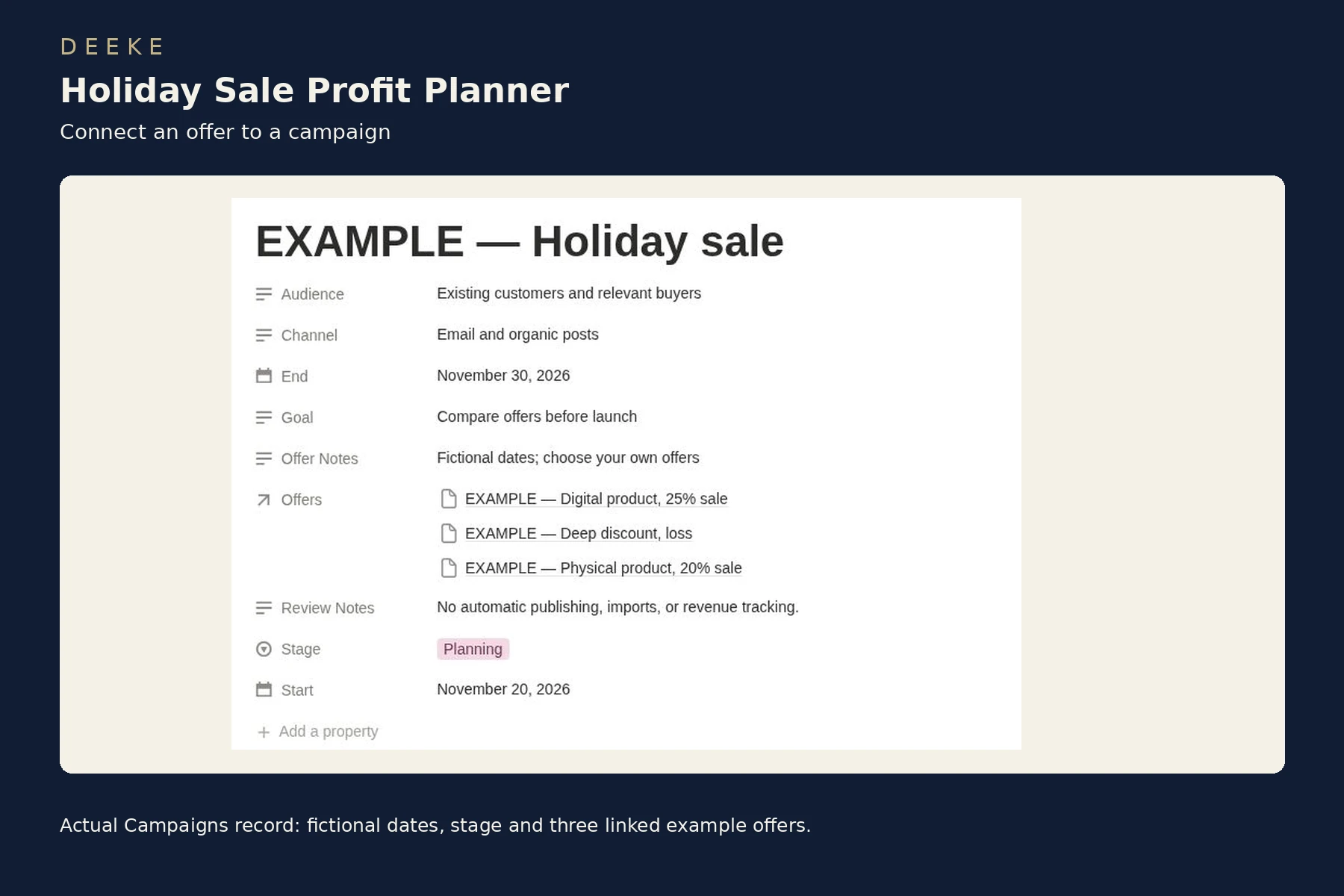
01See the estimated contribution left after the discount, direct costs and entered fees.02Compare offer scenarios with margin targets and warnings before choosing one.03Keep campaign dates, stage, audience and linked offers together.
Look inside
See the actual product.
Included workspace or PDF previews in DEEKE frames. Sample records illustrate how to use the product. Select any image to open it at full size.
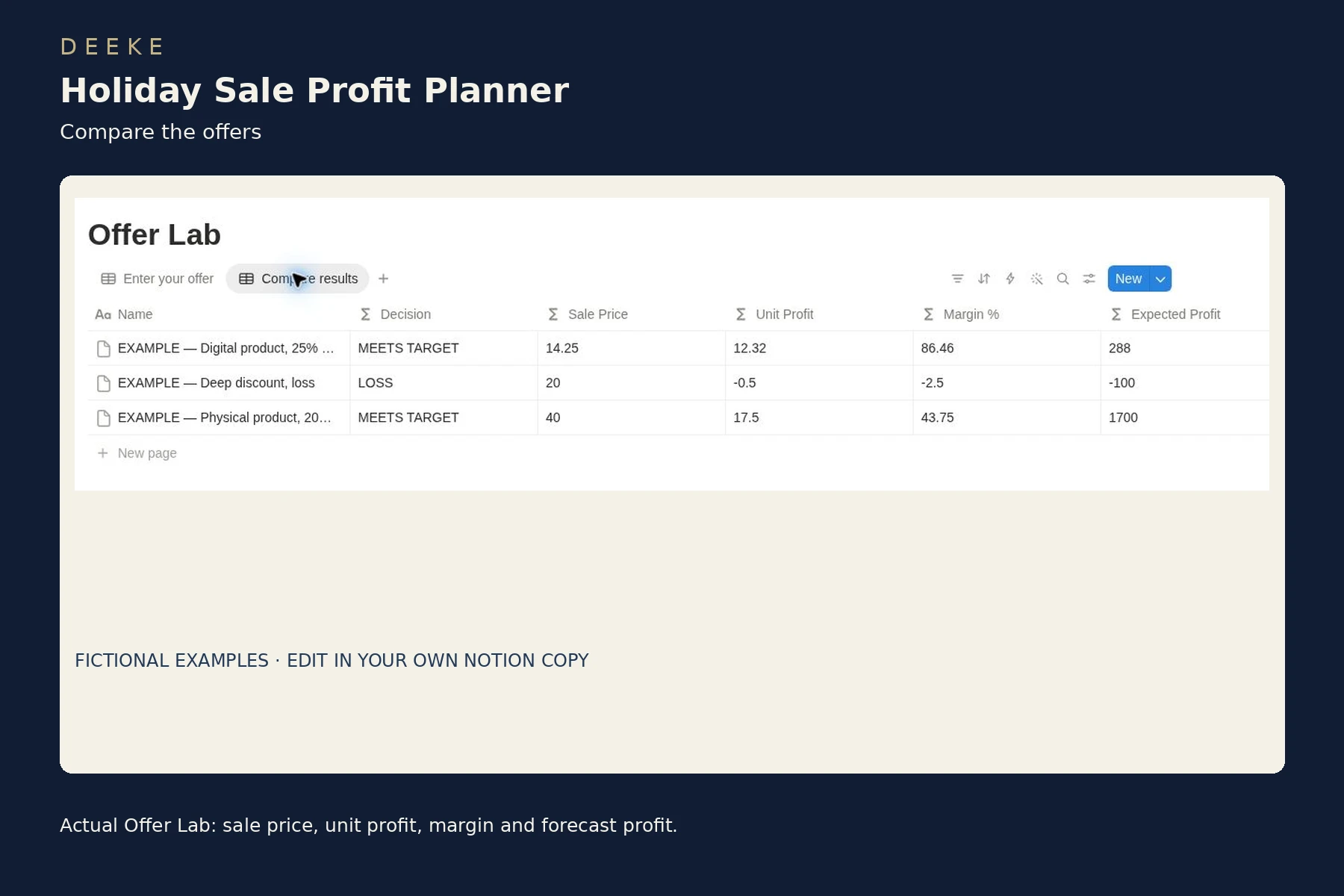
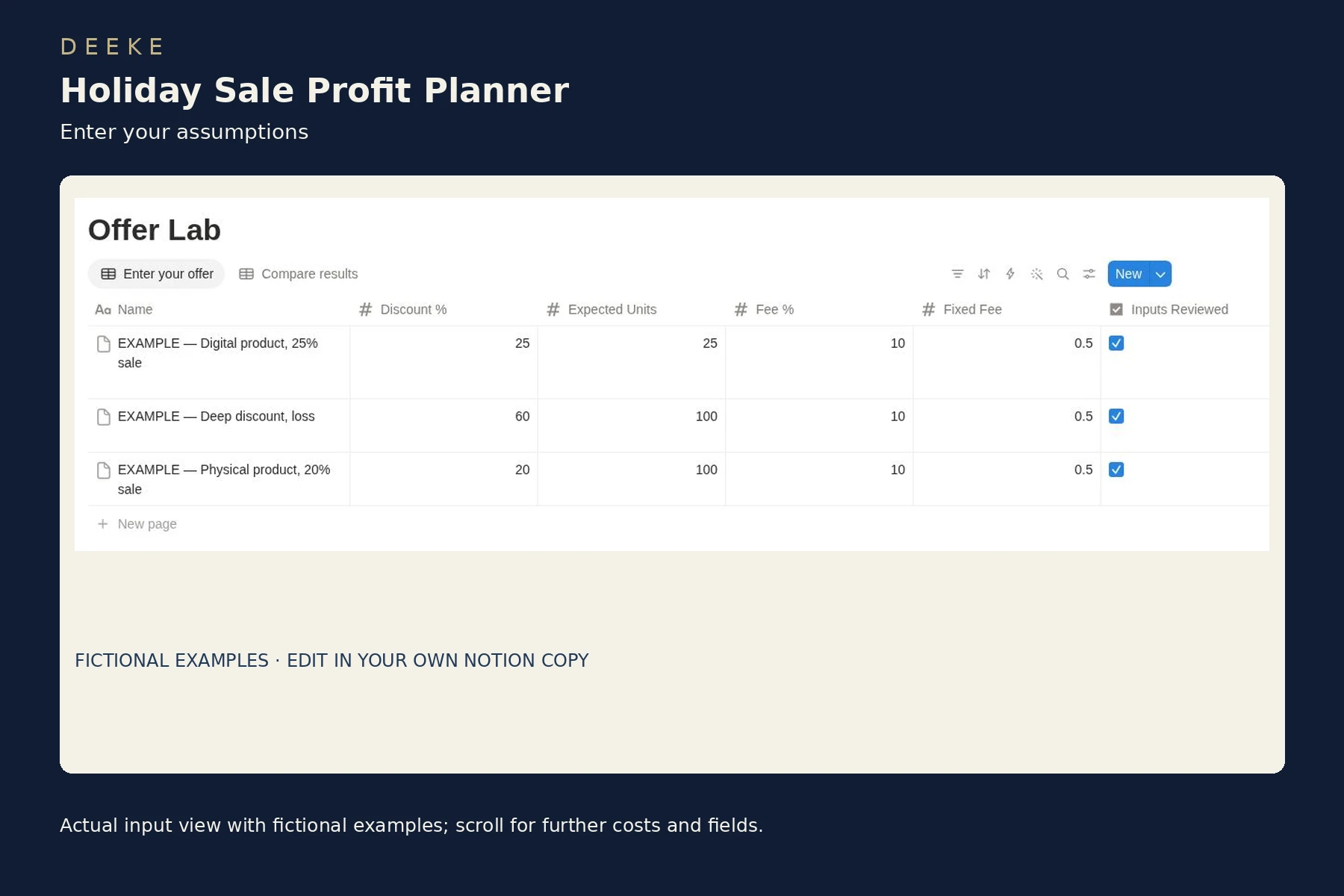
Actual Offer Lab comparison view with fictional examples.Actual offer-entry view; scroll for additional cost and campaign fields.Actual Campaigns record: fictional dates, stage and three linked example offers.
Included with your purchase
What you receive.
Two linked databases: Offer Lab and Campaigns
Editable offer inputs and eight calculated results or checks
Sale price, unit profit, margin and profit forecast after setup costs
Conservative target price floor and maximum discount estimates
Input validation and clear loss or missed-target warnings
Separate entry and comparison views, quick-start guide and three fictional examples
$9 USD
One-time purchase · digital product. Checkout may add applicable taxes.
Before you buy
Requires your own Notion account. Manual inputs and one currency per analysis. Assumes one unit per order. No Notion AI, paid automation, platform connection or automatic fee update is included. Forecast units are assumptions; contribution excludes tax and unentered expenses.
Gumroad handles checkout and access to your purchase content.
Get started
Your first three steps.
Purchase through Gumroad and open the template link in your purchase content.
Sign in to your own Notion account and duplicate the entire planner page.
Replace examples, enter and review one offer, then compare results and link it to a campaign.
A clear choice
A few useful answers.
See the included format and requirements before choosing.
Is this a subscription?
This is a one-time digital product purchase. Any software plan or usage costs in the requirements are separate.
Make it your own
Duplicate the entire page into your own workspace, keep an unchanged backup, and replace the fictional examples with your own offers. Enter percentage inputs as 20 for 20%, then review the fields and check Inputs Reviewed.
Customize text, records and views for your business. Test any formula or relation changes before using them for live decisions.
Can I learn more before buying?
Browse the actual workspace previews above and review the listed contents, requirements and model limits. The Gumroad listing contains the same purchase details.