A Notion account is required. See setup and software requirements below.
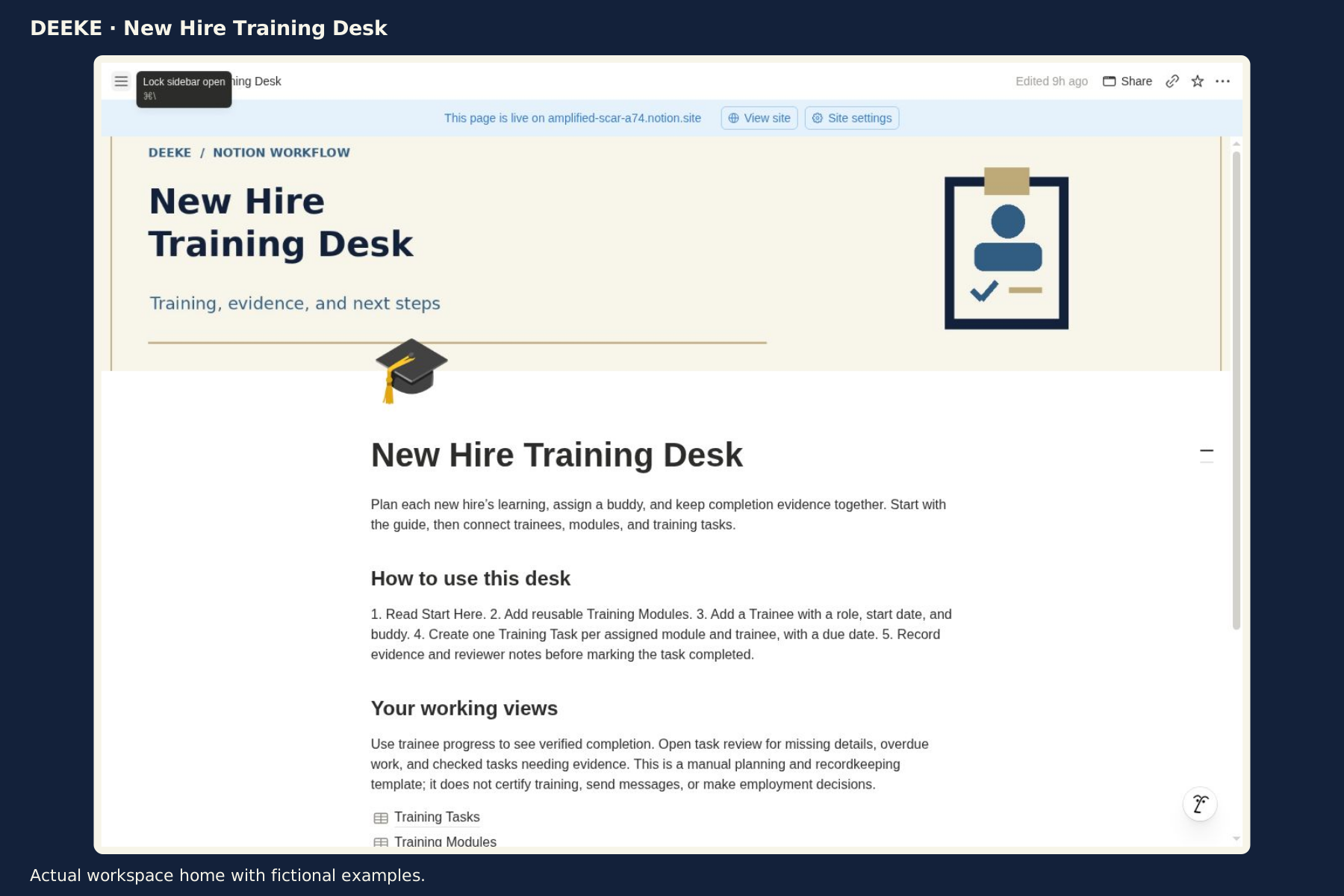
Actual product preview · three images below
Put it to work
What you can do with it.
01Assign one task per trainee and reusable training module.02Keep due dates, completion evidence and reviewer notes together.03See open work and progress based on recorded completion details.
Look inside
See the actual product.
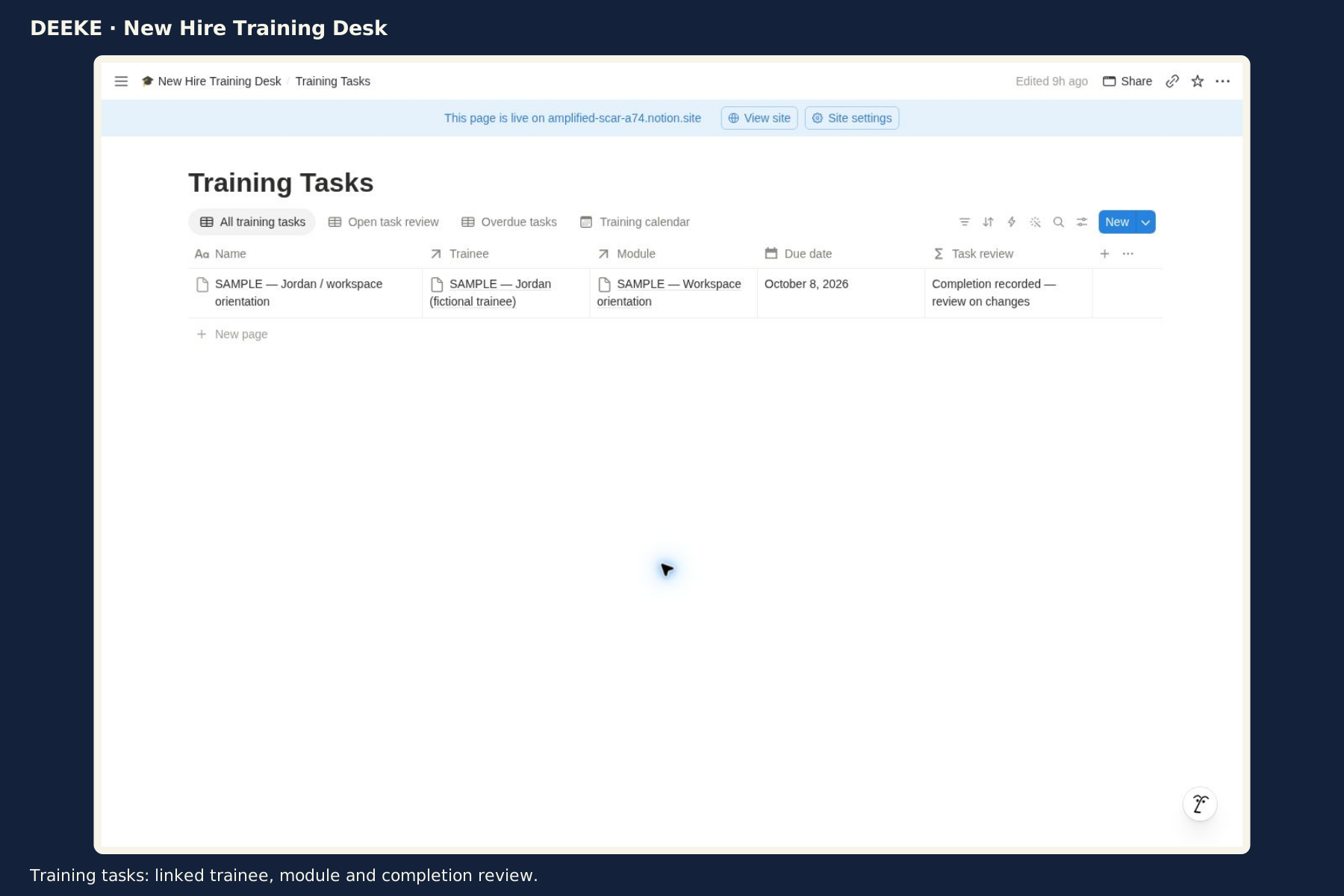
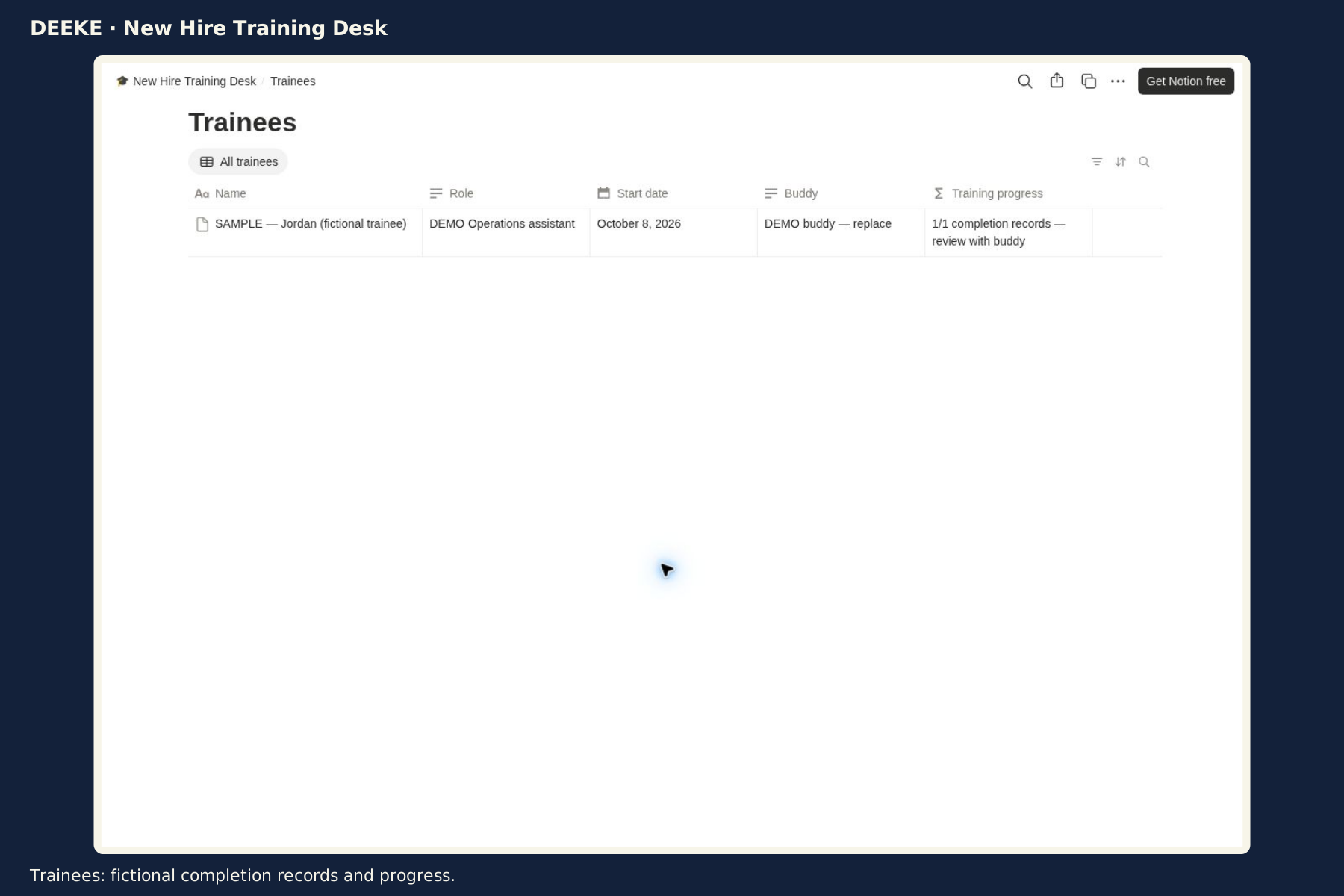
Included workspace or PDF previews in DEEKE frames. Sample records illustrate how to use the product. Select any image to open it at full size.
Actual workspace home with fictional examples.Training tasks: linked trainee, module and completion review.Trainees: fictional completion records and progress.
Included with your purchase
What you receive.
Three linked databases: Trainees, Training Modules and Training Tasks
Completion-evidence checks and trainee progress formulas
Open and overdue task views plus a training calendar
Start Here guide and fictional examples
$19 USD
One-time purchase · digital product. Checkout may add applicable taxes.
Before you buy
Requires your own Notion account and basic database editing. Duplicate the entire root and replace fictional examples. Manual planning and recordkeeping. Does not certify training, send messages or make employment decisions.
Gumroad handles checkout and access to your purchase content.
Get started
Your first three steps.
Purchase through Gumroad and open the Notion template link in your purchase content.
Sign in to your own Notion account and duplicate the entire product root.
Read Start Here, check the copied relations and replace fictional records before live use.
A clear choice
A few useful answers.
See the included format and requirements before choosing.
Is this a subscription?
This is a one-time digital product purchase. Any software plan or usage costs in the requirements are separate.
Make it your own
Duplicate the whole product into your own workspace, read Start Here and replace the fictional examples. Keep its linked databases together.
Keep an unchanged backup. Test any formula or relation changes before using the copy for live work.
Can I learn more before buying?
Browse the actual workspace previews above and review the listed contents, requirements and model limits. The Gumroad listing contains the same purchase details.