A Notion account is required. See setup and software requirements below.
Actual product preview · three images below
Put it to work
What you can do with it.
01Capture loose thoughts and choose one to three priorities.02Maintain weekly tasks, important items, bills and reset checklists.03Start a new week, carry forward unfinished work and keep past reflections.
Look inside
See the actual product.
Included workspace or PDF previews in DEEKE frames. Sample records illustrate how to use the product. Select any image to open it at full size.
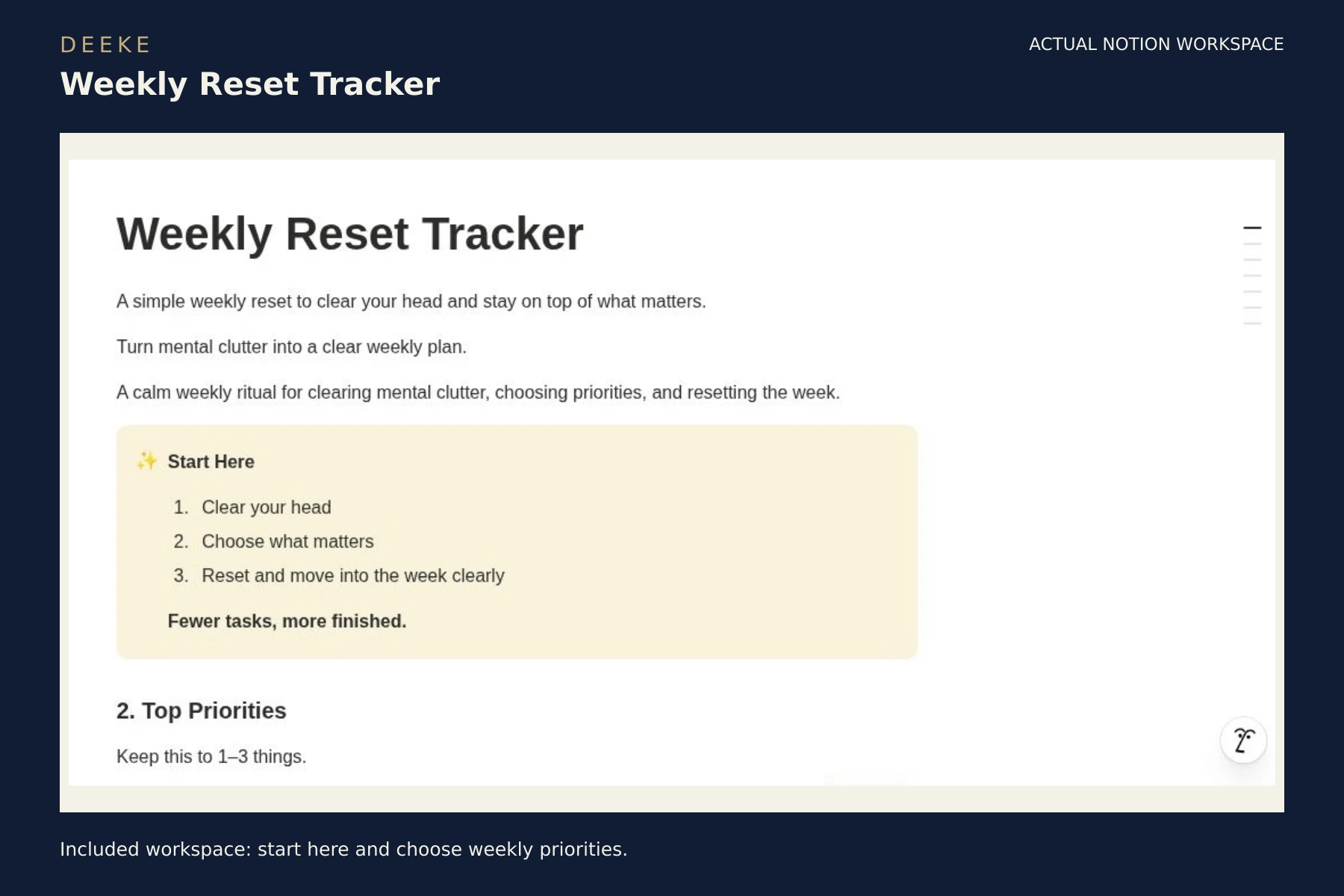
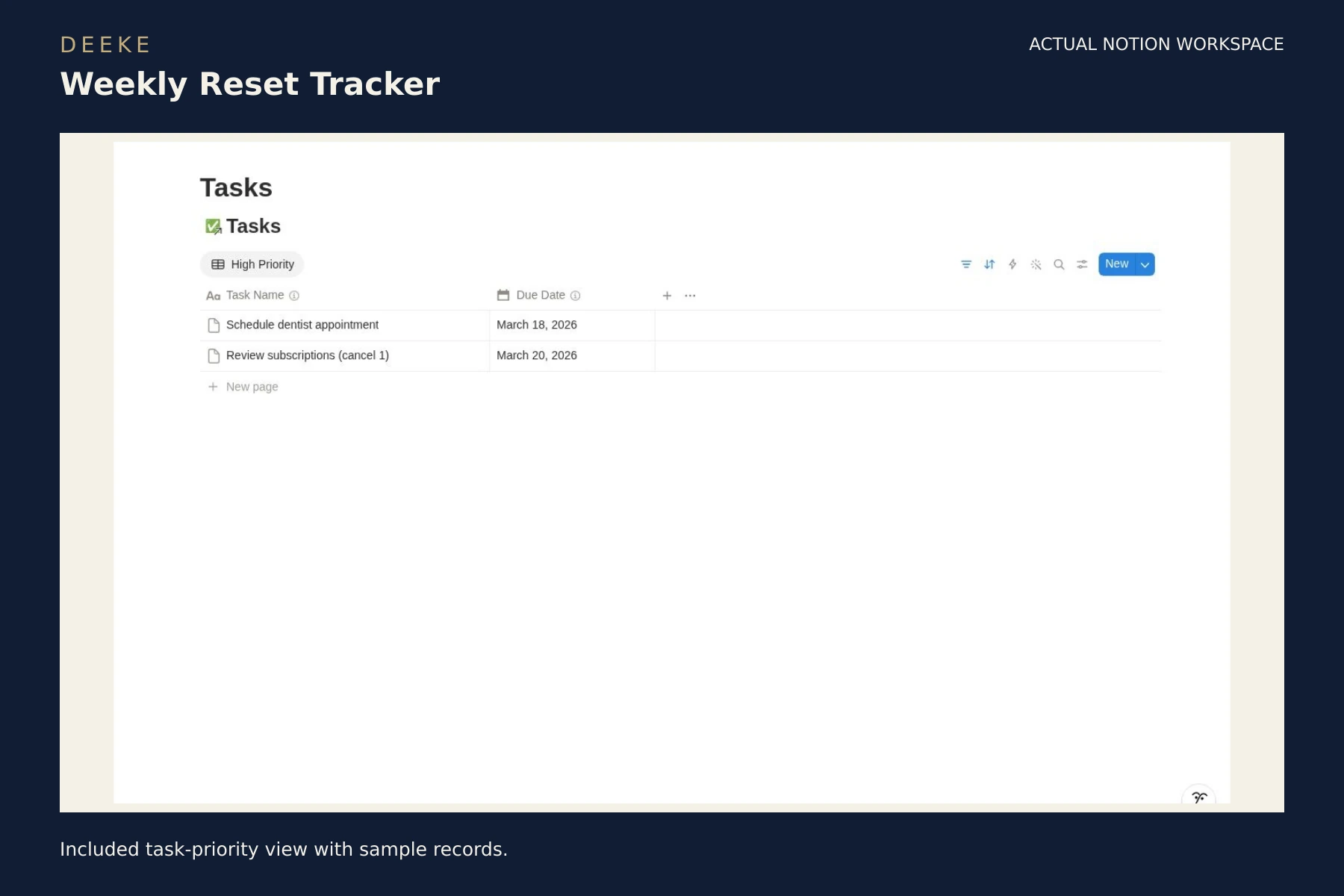
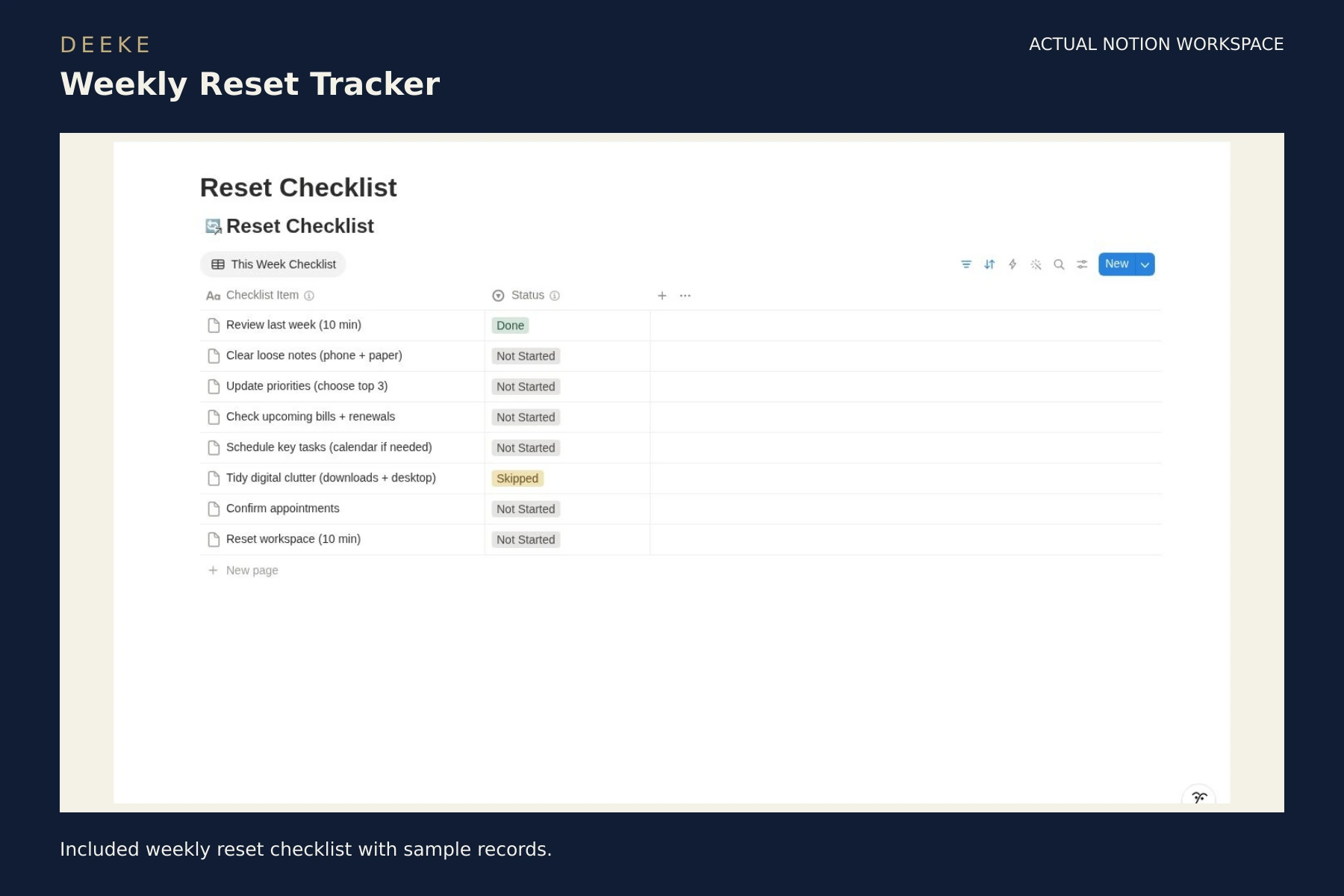
Included workspace: start here and choose weekly priorities.Included task-priority view with sample records.Included weekly reset checklist with sample records.
Included with your purchase
What you receive.
Top priorities, brain dump, and weekly tasks
Important items, bills, payments, and reset checklist
Reflections and past weeks
$7 USD
One-time purchase · digital product. Checkout may add applicable taxes.
Before you buy
Requires a Notion account. The workspace is designed for a lightweight weekly review.
Gumroad handles checkout and access to your purchase content.
Get started
Your first three steps.
Purchase through Gumroad and open the supplied workspace access link.
Sign in to your own Notion account and duplicate the template.
Read the included setup guide, replace sample records and start with one workflow.
A clear choice
A few useful answers.
See the included format and requirements before choosing.
Is this a subscription?
This is a one-time digital product purchase. Any software plan or usage costs in the requirements are separate.
Make it your own
After duplicating this template into your own Notion workspace, you can edit the text, replace sample records, and adjust views and properties to suit your workflow.
Keep an unchanged copy as a backup. If you change formulas or database relations, test the result before using it for live work.
Can I learn more before buying?
Browse the actual previews above and read the related free guide. Preview sample records illustrate the workflow.